
 Join our Discord
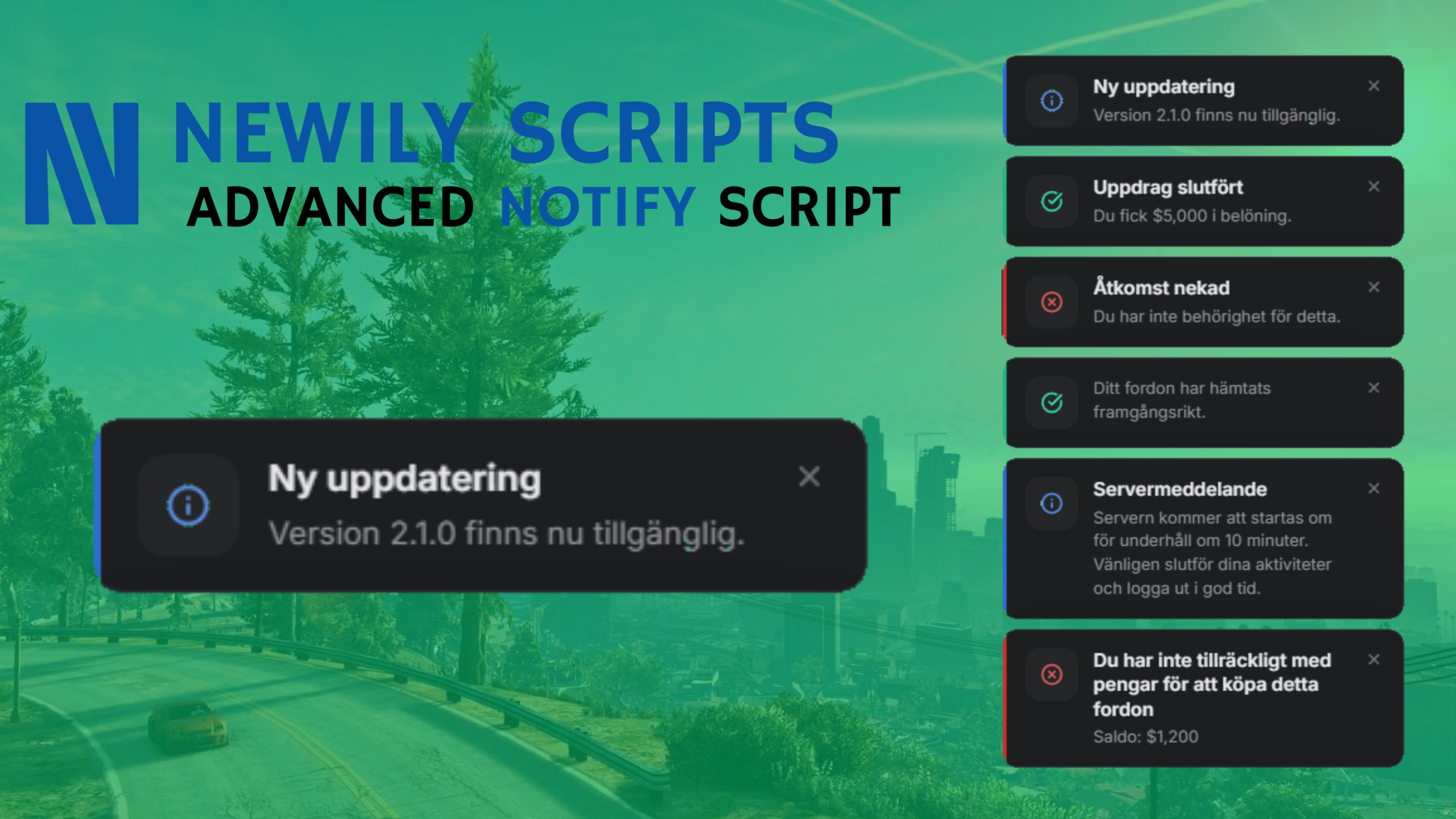
Newily Notify | Notification System 🔔
A lightweight standalone notification system with a clean React UI - no framework required ⭐
Features
- Standalone - No framework dependency, works with any resource
3 Notification Types - `info`, `success` and `error` with distinct icons and colors
Progress Bar - Left accent bar that drains over the notification duration
Configurable - Set default position and duration in `shared/config.lua`
9 Positions - Top, middle or bottom × left, center or right
Client Export - Trigger notifications from any client-side script
Server Export - Trigger notifications on a specific player from any server-side script
Framework Ready - Drop-in integration guides for ESX and QBCore included
Dependencies
Required: None - fully standalone
Installation
1. Drag newily_notify into your resources folder
2. Add ensure newily_notify to your server.cfg
3. Configure shared/config.lua
Usage
Client-side
exports['newily_notify']:Notify(type, title, message, duration)Examples
exports['newily_notify']:Notify('info', nil, 'Your vehicle has been stored.', 4000)

exports['newily_notify']:Notify('success', 'Mission complete', 'You received $5,000.')

exports['newily_notify']:Notify('error', 'Access denied', 'You lack permission.')
Server-side
exports['newily_notify']:NotifyPlayer(source, type, title, message, duration)
Example
exports['newily_notify']:NotifyPlayer(source, 'success', nil, 'Payment received.')
Framework Integration
ESX
In es_extended/client/functions.lua, replace the ESX.ShowNotification function with:
function ESX.ShowNotification(message, notifyType, length, title, position)
return exports['newily_notify']:Notify(notifyType or 'info', title, message, length)
end
That's it - all ESX.ShowNotification(...) calls across your server will now use newily_notify automatically.
QBCore
In qb-core/client/functions.lua, replace the QBCore.Functions.Notify function with:
function QBCore.Functions.Notify(text, texttype, length, icon)
local typeMap = {
primary = 'info',
info = 'info',
success = 'success',
error = 'error',
warning = 'error',
}
local title, message
if type(text) == 'table' then
title = text.caption
message = text.text
else
message = text
end
exports['newily_notify']:Notify(typeMap[texttype] or 'info', title, message, length)
end
All QBCore.Functions.Notify(...) calls across your server will now use newily_notify automatically.